
RecurPost Custom Reports is a drag-and-drop report builder that turns performance data from 11 social networks into a client-ready PDF. This guide shows you how to get access, start a report from a template or a blank canvas, pick profiles and a date range, add metric tiles, and deliver the finished report to a client as a white-label PDF.
What Custom Reports Are and Who Gets Them
RecurPost Custom Reports lives inside the Reports section as its own builder. You assemble a report on a canvas from metric tiles. Each tile holds one metric, one chart, and one size. The finished canvas exports as a PDF that carries your agency logo instead of the RecurPost logo.
RecurPost includes Custom Reports on Agency plans. Every other plan gets a one-time 14-day free trial of the feature. During the trial, the page header counts down how many days you have left. When the trial ends, the feature locks again and you can upgrade or contact support. You cannot restart the trial with the same user account.
Custom reports belong to the workspace, not to the person who built them. Every member of the workspace can open, edit, duplicate, and delete every report in it. There is no per-role lock on reports.
Custom Reports fits agencies and freelancers who send clients a recurring performance summary. A freelancer on the Personal plan managing 8 client accounts can start the 14-day trial, build one client PDF, and judge the output before upgrading. If you only want a quick look at your own numbers, the standard Report’s Overview section already covers that on every plan.
Open Custom Reports and Start a Report
- Click Reports in the left menu.
- Open the card labeled Custom Reports (“Build your own report”).
- Click + New report on the All reports screen.
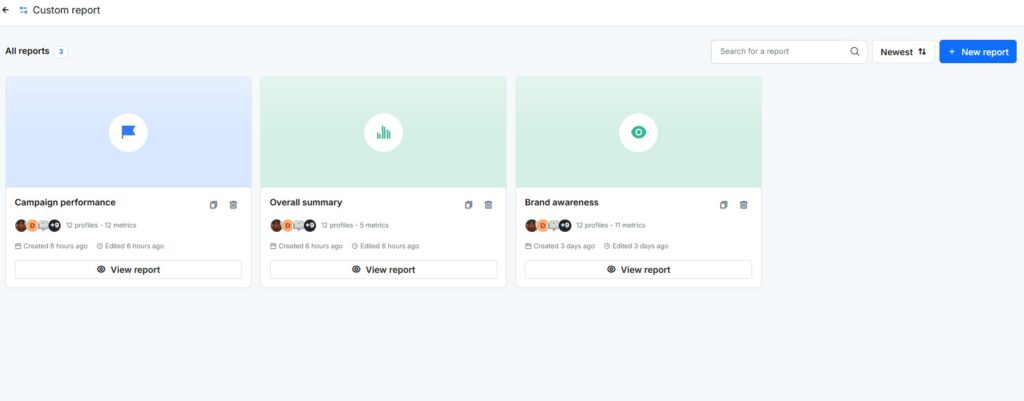
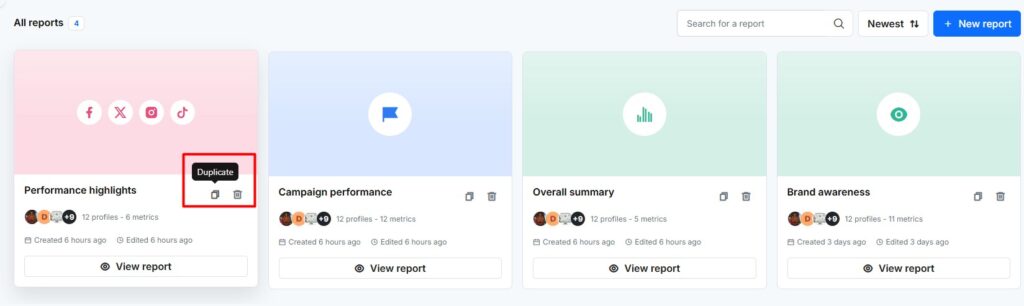
The All reports screen lists every saved report in the workspace. Each card shows the report name, the connected profile avatars, a profile and metric count, and when the report was created or last edited. RecurPost lets you search reports by name and sort by Newest, Oldest, or Name (A-Z). An account manager hunting for last month’s client deck types the client name into the search box instead of scrolling.
Choose a Template or Build From Scratch
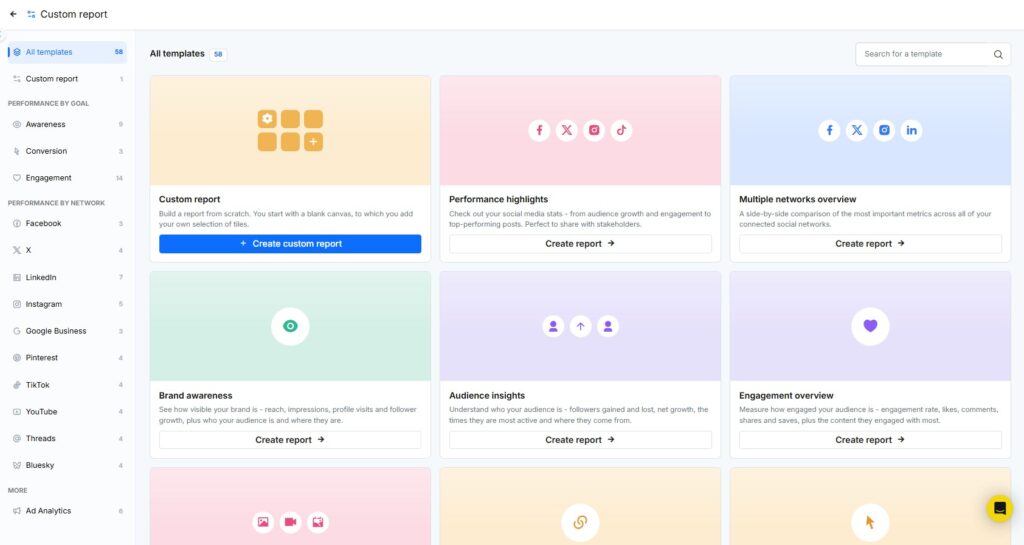
RecurPost ships 60 custom report templates. The gallery sidebar groups them into Performance by goal (Awareness, Conversion, Engagement), Performance by network with sets for 10 networks, Ad Analytics, and a Custom report option that opens a blank canvas.
RecurPost’s templates suit fast recurring client reporting. An agency reporting on a client active on Instagram, Facebook, and Google Business Profile picks the “Multiple networks overview” template and swaps a tile or two. RecurPost’s blank canvas suits bespoke KPI sets. A freelancer who used to assemble a monthly metrics spreadsheet by hand can rebuild the same columns as tiles once and reuse the report every month.
Pick Social Profiles and Set the Date Range
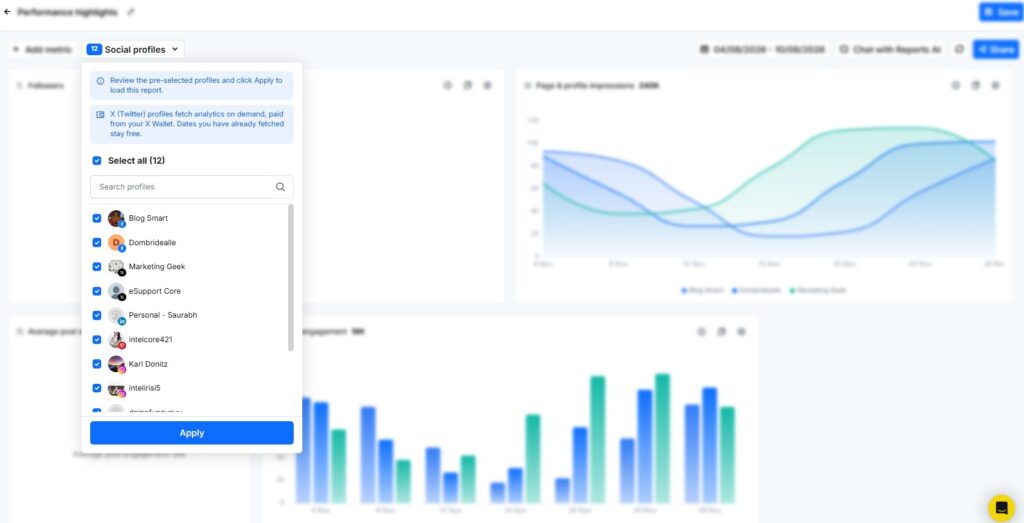
A new report opens with the Social profiles dropdown pinned open. RecurPost loads no data until you tick at least one profile and click Apply.
RecurPost Custom Reports pulls data from 11 network types: Facebook Page, X (Twitter), LinkedIn Profile, LinkedIn Page, Instagram Business, Pinterest, Google Business Profile, TikTok, YouTube, Threads, and Bluesky.
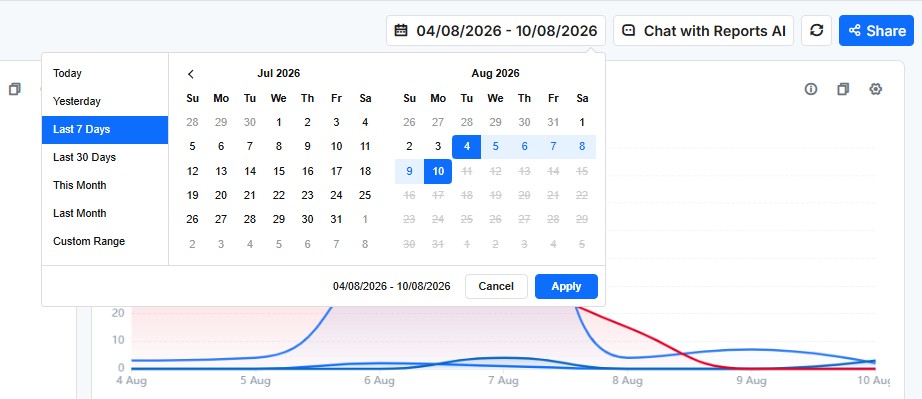
RecurPost’s date picker offers Today, Yesterday, Last 7 Days, Last 30 Days, This Month, Last Month, and a Custom Range calendar. The default is Last 7 Days. Custom ranges accept any past dates. Future dates are blocked.
The previous-period comparison uses the same number of days immediately before your selected range. Last Month is the one exception: RecurPost compares it to the full month before it. A report on a client’s Facebook Page, Instagram Business account, and TikTok set to This Month therefore shows each tile’s change against the prior month.
Add and Configure Metric Tiles
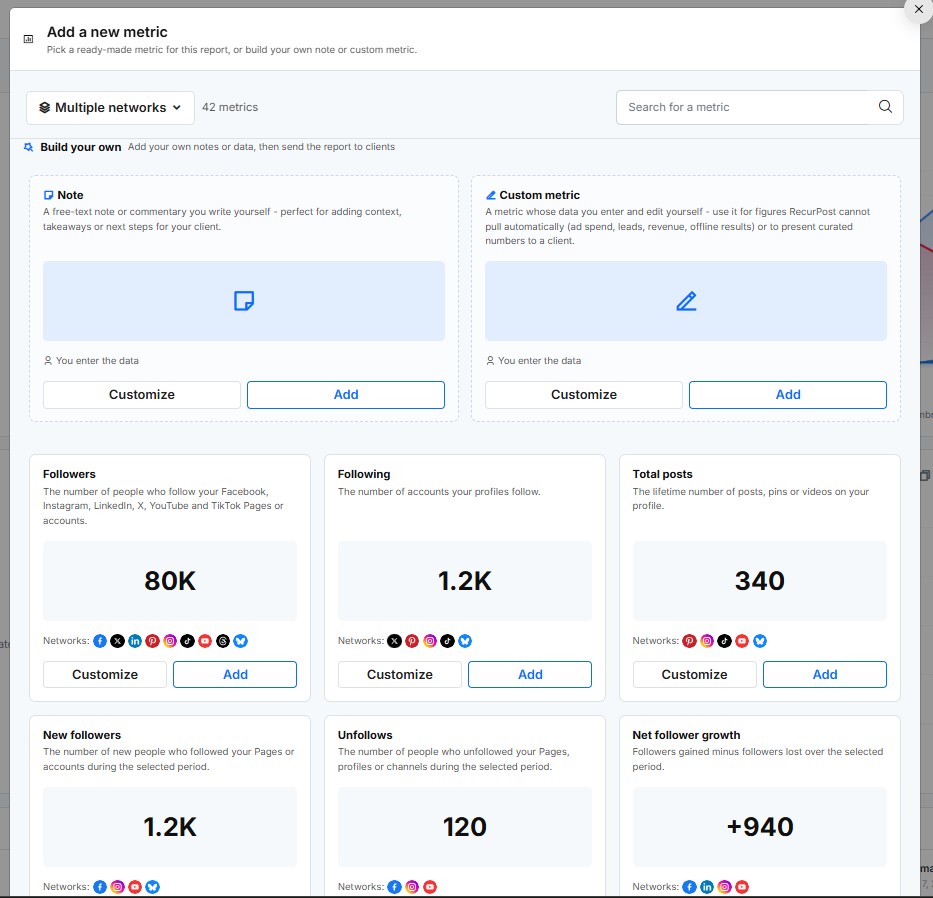
Click + Add metric to open the metric catalog. RecurPost offers 202 metrics: 26 cross-network metrics (followers, impressions, engagement, top posts, and more), 114 platform-specific metrics, 60 Facebook Ads metrics, and 2 build-your-own tiles. You can search the catalog or filter it by network.
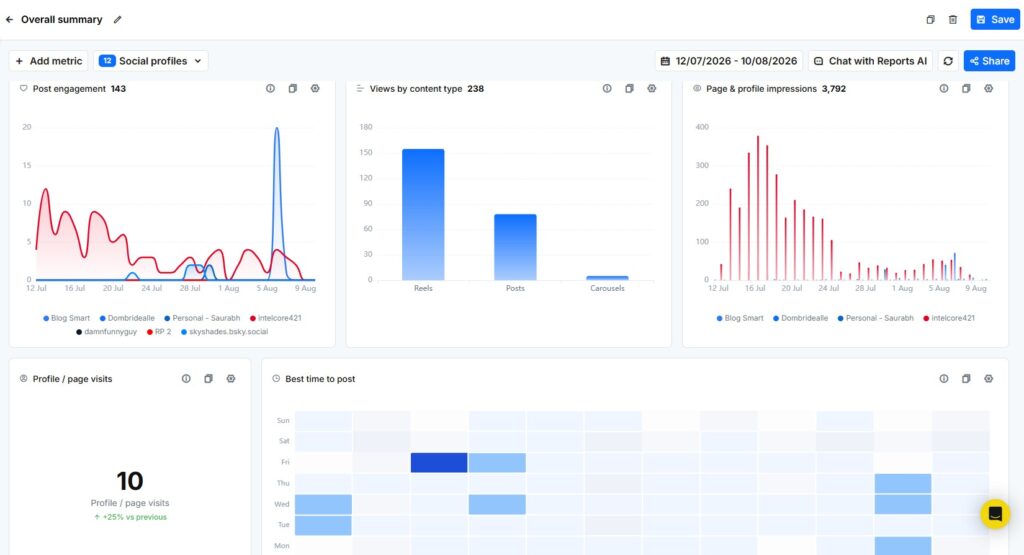
Selecting a metric opens a Customize view with a live example preview. Each tile takes a custom title, a chart type, a Compare by setting, and a width of 25%, 33%, 50%, 75%, or 100%. Chart types include line, area, bar, donut, single number, heatmap, world map, conversion funnel, benchmark gauge, ranked list, and data table. Ranked lists and tables show up to 10 rows.
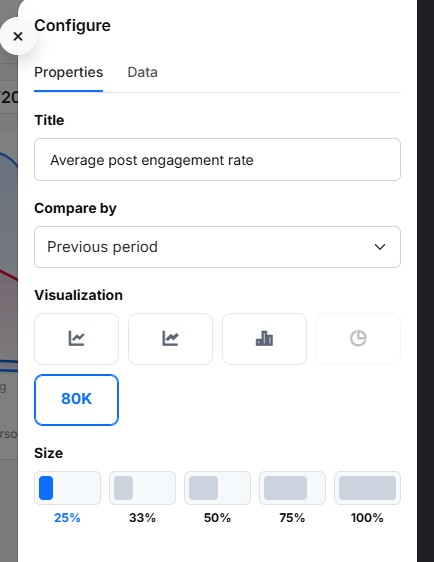
The Compare by setting has three modes: No comparison, By social profile, and Previous period. Snapshot metrics such as Followers offer no comparison because they capture a single moment. Use New followers or Net follower growth when a client wants a trend line. An agency tracking a three-network client adds Net follower growth as a line chart compared by social profile, then adds a Facebook Ads ROAS number tile for the ad budget.
Not every metric exists on every network. A tile that a selected network cannot supply shows “Not available for the selected profiles”. Three gaps worth knowing before a client asks: reach is available only for Instagram and LinkedIn, Pinterest returns no likes or comments, and Google Business Profile returns no follower counts. RecurPost’s ad metrics cover Facebook Ads only, through the connected Facebook Page. LinkedIn Ads are not offered.
Add Notes and Your Own Numbers
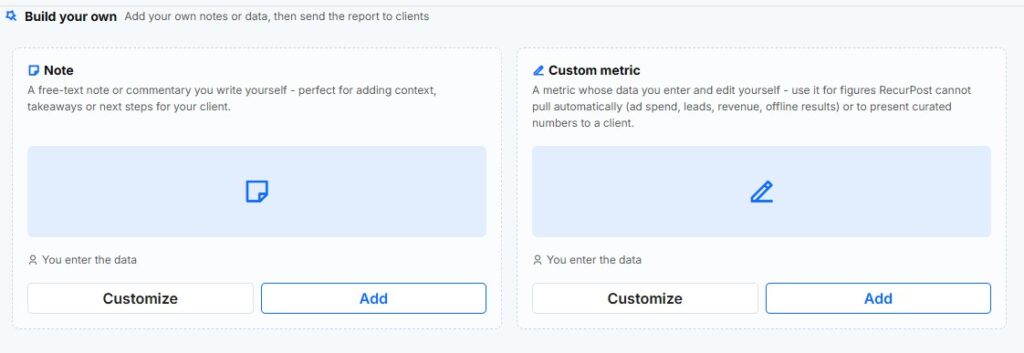
The metric catalog ends with a “Build your own” section holding two tiles. The Note tile gives you inline text on the canvas for context, highlights, or next steps. The Custom metric tile takes numbers you type yourself: a single value with a caption and an up-or-down trend note, or a set of label and value points charted as a line, area, bar, or single number.
RecurPost labels these tiles “Manually entered data, not pulled from the network” so a client can tell them apart from platform data. An agency uses the pairing to round out the story: a Note summarizing the month’s strategy wins, plus a Custom metric tile showing website leads pulled from the client’s CRM.
Save, Duplicate, and Delete Reports
A new report needs one click on Save. After that first save, RecurPost autosaves every edit within moments. You can rename a report inline at any time.
Duplicate creates a copy named “your report (copy)”. Duplication beats rebuilding for monthly work: an agency duplicates “Monthly – Acme Cafe” each month, renames the copy, and moves the date range forward. Delete is permanent for the whole workspace and RecurPost warns you it cannot be undone. When you’re not sure a teammate is done with a report, rename it instead of deleting it.
Send the Report as a White-Label PDF
The Share menu on the canvas holds three actions: Download PDF, Send PDF, and Customize Branding.
Download PDF builds the report as a PDF and hands you a download link. The report must be saved first. The link stays valid for 6 days, so download the file rather than bookmarking the link.
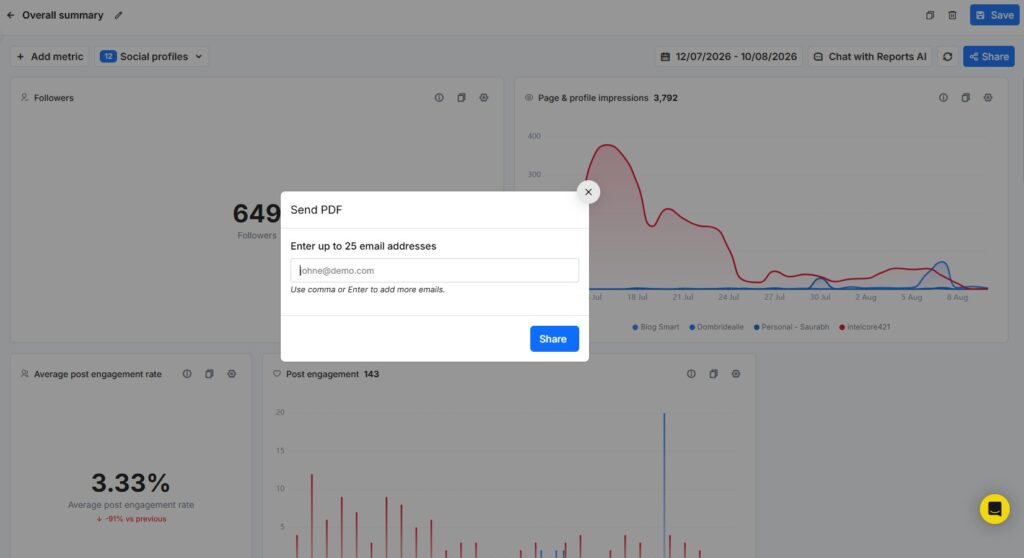
Send PDF emails the report for you. You can enter up to 25 email addresses per send. Each recipient gets a message with the subject “Your [report name] Report” and a link to the PDF. An agency sends the monthly PDF to the client’s marketing lead and two stakeholders in one send.
Customize Branding controls the logo. RecurPost uses one account-wide white-label logo set in Account Settings: recommended 240 x 35 pixels, JPG or PNG, 2 MB maximum, ideally horizontal with a transparent background. The White Label Report section of Report’s Overview walks through the setup. With a logo saved, the PDF cover shows your logo, the report name, the reporting period with its comparison, the profile count with up to 24 profile chips, a “Prepared by” line with your name, and the generation date.
RecurPost Custom Reports exports PDF only. There is no CSV, Excel, or PowerPoint export and no public share link. RecurPost sends custom reports on demand only. If a client wants an automatic email, the Report Sharing tab in your workspace settings can send the standard workspace reports weekly or monthly. The custom report itself goes out when you click Send PDF.
Keep the Data Fresh Before a Client Call
RecurPost caches custom report data in two tiers. Ranges that end in the past refresh about every 6 hours. Ranges that include today refresh about every 10 minutes. The Refresh button on the canvas forces a fresh pull from every network in the report.
The canvas also carries Chat with Reports AI. The assistant reads the metrics and date range currently on your canvas and answers questions about them. Before a 9 AM client call, an account manager hits Refresh so yesterday’s Reels numbers are current, then asks Reports AI which profile drove the week’s engagement spike.
RecurPost’s standard Reports section and Custom Reports answer different needs. The standard Report’s Overview gives you fixed per-platform dashboards for your own analysis. Custom Reports gives you a composable deliverable you hand to a client.
FAQs
1. Which RecurPost plans include Custom Reports?
RecurPost includes Custom Reports on Agency plans. Every other plan can start a one-time 14-day free trial of the feature. After the trial ends, the options are upgrading to an Agency plan or contacting support.
2. Can I schedule a custom report to email itself every month?
RecurPost Custom Reports does not support scheduled email delivery. Send PDF delivers a custom report on demand to up to 25 recipients per send. RecurPost does schedule the standard workspace reports: the Report Sharing tab in workspace settings emails them to client addresses weekly or monthly on a day you pick. For monthly custom reporting, duplicate last month’s report, update the date range, and send it manually.
3. What formats can I export a custom report in?
RecurPost Custom Reports exports PDF only. The download link stays valid for 6 days. There is no CSV, Excel, or PowerPoint export and no public report link.
4. Why does a tile say “Not available for the selected profiles”?
The message means the selected network does not supply that metric through its API. Reach exists only for Instagram and LinkedIn. Pinterest supplies no likes or comments. Google Business Profile supplies no follower counts. Remove the unsupported profile from the tile or pick a metric the network supports.
5. Can my team members edit or delete my custom reports?
RecurPost custom reports belong to the workspace. Every workspace member can view, edit, duplicate, and delete every report in that workspace. Deletion is permanent, so rename reports you want to protect from accidental cleanup.
6. Do Custom Reports cover ad performance?
RecurPost Custom Reports include 60 Facebook Ads metrics (spend, ROAS, CPC, CPM, conversions, and campaign-level tables) pulled through the connected Facebook Page. LinkedIn Ads metrics are not offered.