
Google rejects Business Profile photos for four reasons:
- The file breaks a technical requirement
- The content breaks the photo policy
- The listing itself is in bad standing
- The review system makes a mistake
Each cause has a different fix, and the wrong fix wastes days. This guide covers all four causes, the appeal path when a compliant photo still gets refused, the upload habits that pass review on the first try, and the separate problem of approved photos that never show up.
A rejected photo rarely announces itself. The upload sits in pending or quietly disappears, and nobody gets an email. If you manage listings for clients, the client usually notices the empty profile before you do. That is the real cost of photo rejections for an agency: not the photo, the surprise.
Google reviews every Business Profile photo before it shows
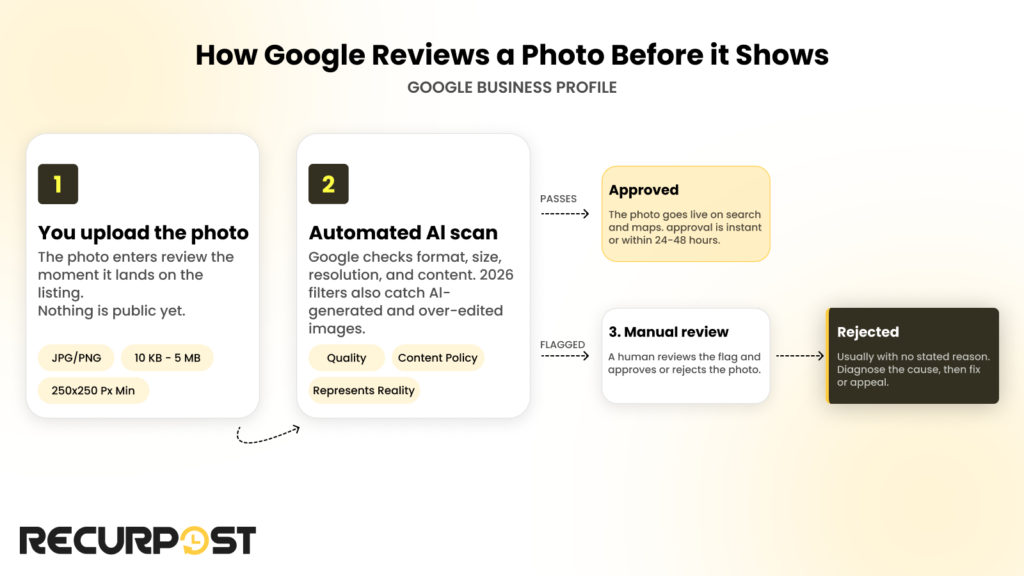
Google runs every uploaded photo through an automated review before it appears on the listing. The AI scan checks format, file size, resolution, and content against the photo policy. A photo that trips a flag goes to a human for manual review. Approval can be instant. It can also take 24 to 48 hours when the review queue is busy.
Most rejections arrive with no stated reason. The photo shows a generic not-approved state and nothing else. The silence forces you to diagnose the cause yourself, which is why the four cause families below matter more than the appeal form.
Google tightened the automated filters in 2026. The system now detects AI-generated images and photos with heavy edits or unrealistic filters. The policy is blunt: a Business Profile photo must represent reality. A plain photo from a phone camera clears review more reliably than a polished composite from a brand kit.
Picture an agency uploading storefront photos for a 12-location home-services client in one afternoon. Half the batch sits in pending for two days. Three photos disappear without notice. Nothing is broken. That is the review system working as designed, and the next section tells you which cause to check first.
Four reasons Google rejects Business Profile photos
Google’s rejection causes fall into four families:
- Technical failures
- Content violations
- Account problems
- Platform errors
Check them in that order. The first is instant and free to fix. The last is out of your hands entirely.
1. Photo format and technical failures
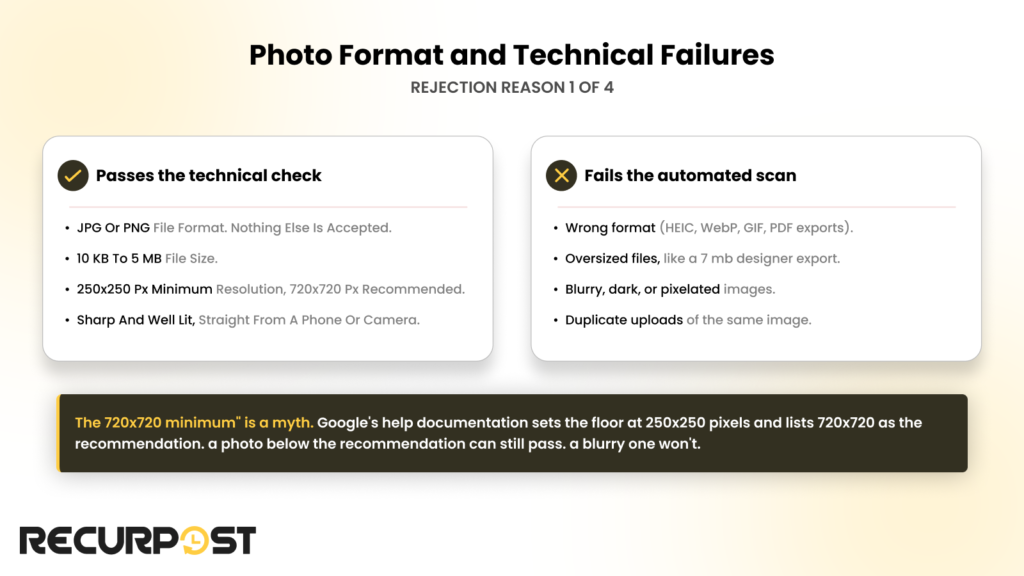
Google accepts JPG and PNG files only. The file must weigh between 10 KB and 5 MB. The minimum resolution is 250 by 250 pixels, and Google recommends 720 by 720 or larger.
Plenty of older guides claim 720 by 720 is the minimum. It is not. Google’s own help documentation sets the floor at 250 by 250 pixels and lists 720 by 720 as the recommendation. A photo below the recommendation can still pass. A blurry one won’t.
The automated scan also rejects photos that are blurry, dark, or pixelated, and it flags duplicate uploads of the same image. A freelancer managing eight restaurant clients hit this with a single menu photo: a 7 MB export straight from the designer. Compressing the file under 5 MB cleared the rejection on the next upload.
2. Content that breaks the photo policy
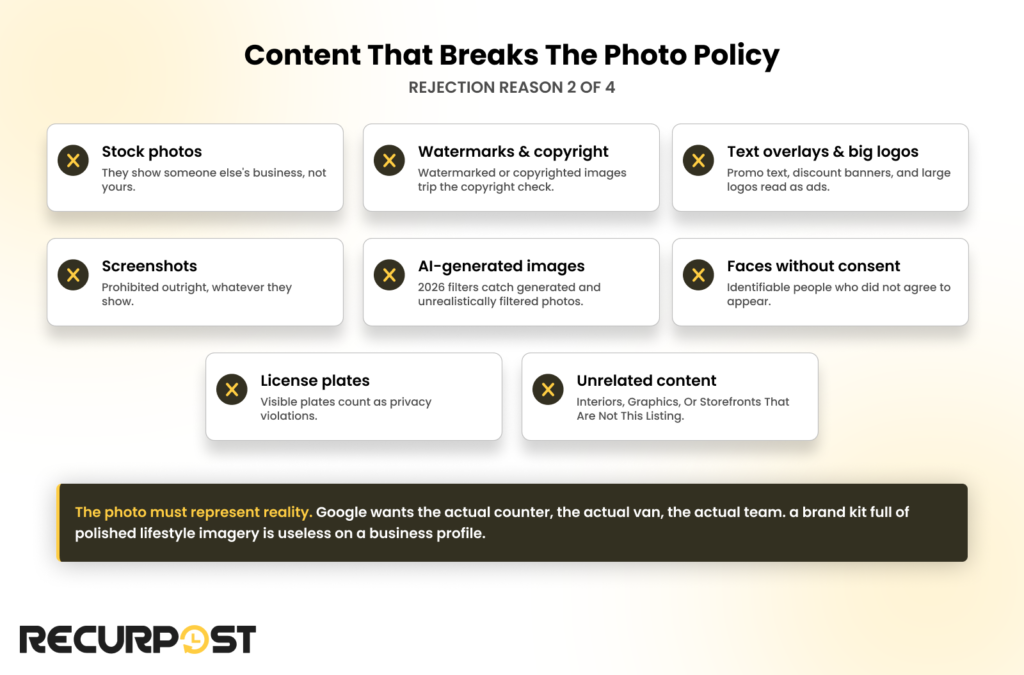
Google rejects photos whose content misrepresents the business, no matter how clean the file is. The policy targets anything that is not a real photo of the real business:
- Stock photos fail because they show someone else’s business.
- Watermarked or copyrighted images trip the copyright check.
- Promotional text overlays, discount banners, and large logos read as ads, and Google rejects ads posing as photos.
- Screenshots are prohibited outright.
- AI-generated images and unrealistically filtered photos fail the represent-reality rule.
- Identifiable faces without consent and visible license plates count as privacy violations.
- Interiors, graphics, or storefronts unrelated to the listing count as misleading content.
The stock-photo rule catches agencies most often. A brand kit full of polished lifestyle imagery is useless on a Business Profile. Google wants the actual counter, the actual van, the actual team.
3. Account and listing status problems
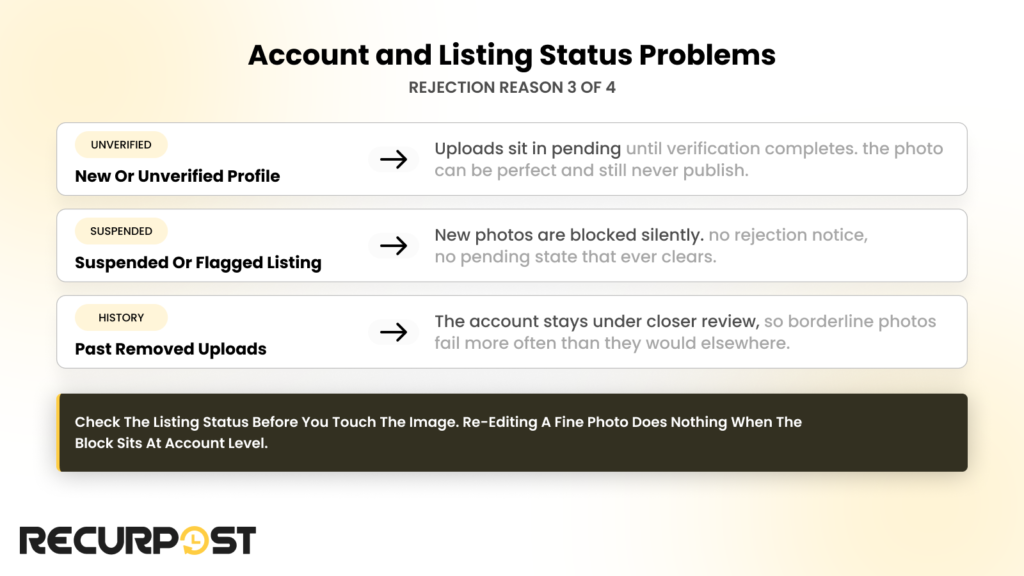
Google holds or blocks photos when the listing itself is not in good standing. The photo can be perfect and still never publish.
- An unverified or newly created profile keeps uploads in pending until verification completes.
- A suspended or flagged listing blocks new photos silently.
- A history of removed uploads keeps the account under closer review, so borderline photos fail more often.
Check the listing status before you touch the image. Re-editing a fine photo does nothing when the block sits at account level.
4. Platform-side errors and glitches
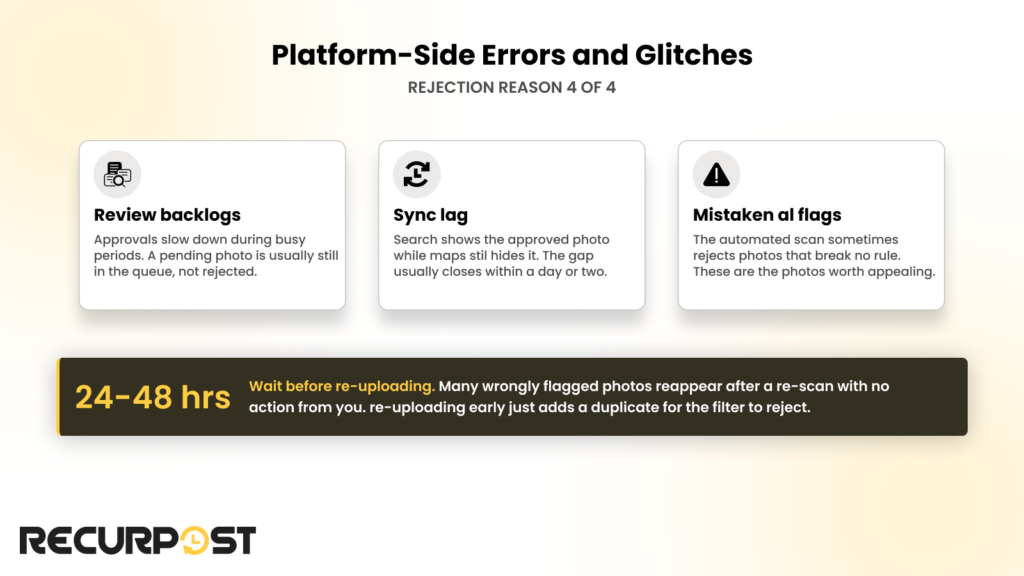
Google’s review system sometimes rejects compliant photos on its own. Review backlogs delay approvals during busy periods. Sync lag hides approved photos on Maps while Search already shows them. Mistaken AI flags reject photos that break no rule.
Wait 24 to 48 hours before re-uploading. Many wrongly flagged photos reappear after a re-scan with no action from you. Re-uploading early just adds a duplicate for the filter to reject.
How to appeal a rejected Business Profile photo
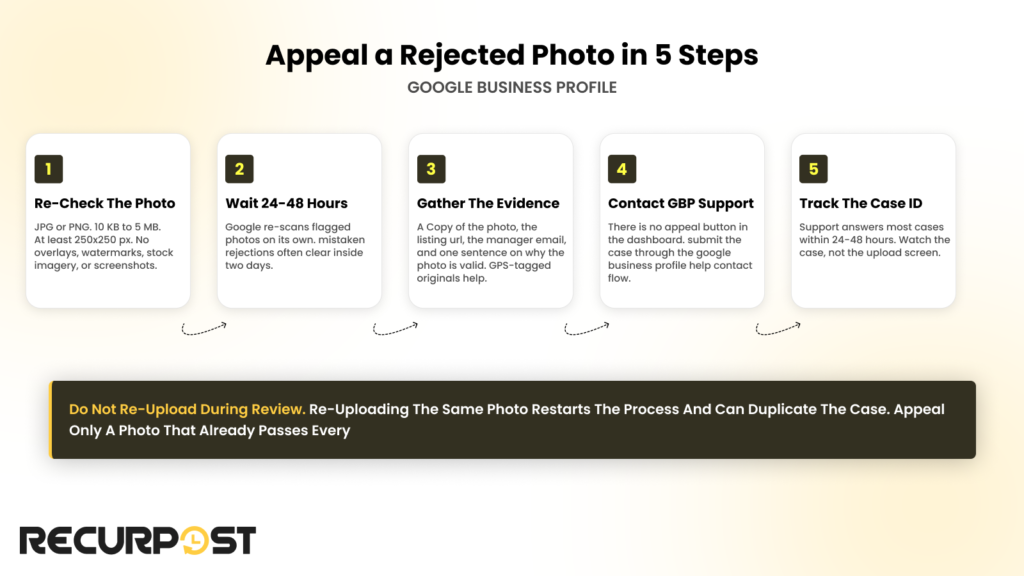
Google accepts manual-review requests for rejected photos through Business Profile support. The appeal only works for photos that actually pass the requirements, so run the checklist first. A watermarked image fails the second review the same way it failed the first.
Step 1: Re-check the photo against the requirements
Confirm the file is JPG or PNG, sits between 10 KB and 5 MB, and meets the 250 by 250 pixel minimum. Then check the content list above: no overlays, no watermarks, no stock imagery, no screenshots.
Step 2: Wait 24 to 48 hours
Google re-scans flagged photos on its own. Mistaken rejections often clear inside two days without an appeal.
Step 3: Gather the appeal evidence
Collect a copy of the photo, the listing URL, the email address that manages the profile, and one sentence on why the photo is valid. The GPS-tagged original from the phone helps because location metadata that matches the listing address supports the authenticity check.
Step 4: Contact Google Business Profile support
There is no appeal button in the dashboard. Open the Google Business Profile Help contact flow, submit the photo and the listing details, and note the case ID you receive.
Step 5: Track the case and do not re-upload
Support answers most cases within 24 to 48 hours. Re-uploading the same photo mid-review restarts the process and can duplicate the case. An account manager at one agency ran exactly this play for a dental clinic client’s exterior photo: the file passed every check, she filed the case with the GPS-tagged original, and the photo cleared on manual review two days later.
Upload practices that get photos approved the first time
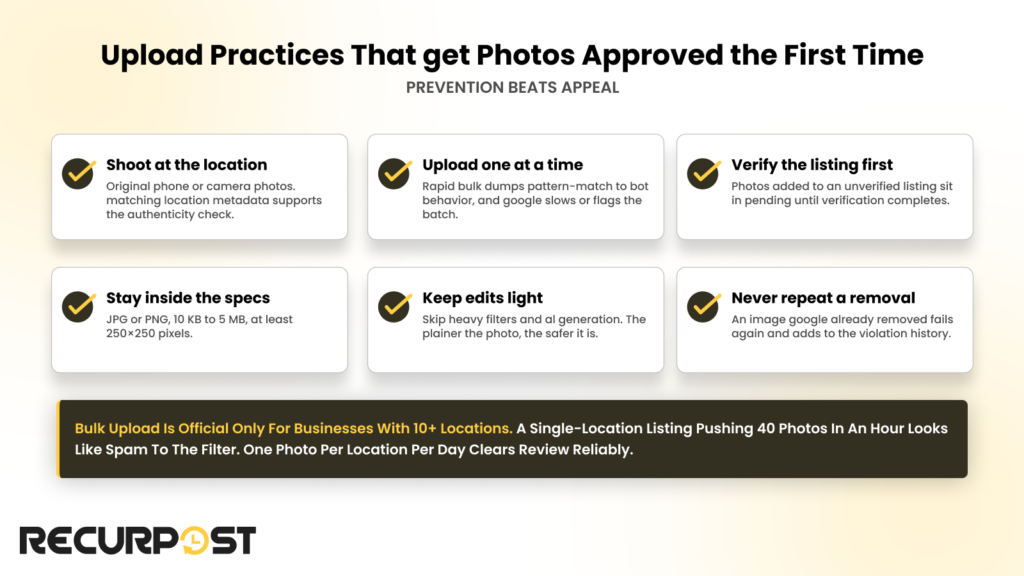
A photo approved on the first upload costs you nothing. An appeal costs two days. These habits raise first-pass approval across every listing you manage:
- Use original photos taken at the business location with a phone or camera. Matching location metadata supports the authenticity check.
- Upload one photo at a time. Rapid bulk dumps pattern-match to bot behavior, and Google slows or flags the batch.
- Finish listing verification before uploading. Photos added to an unverified listing sit in pending.
- Keep files JPG or PNG inside the 10 KB to 5 MB band.
- Skip heavy edits, filters, and AI generation. The plainer the photo, the safer it is.
- Never re-upload an image Google already removed.
Google offers official bulk photo upload only to businesses with 10 or more locations. A single-location listing pushing 40 photos in an hour looks like spam to the filter. One social media manager onboarding a multi-location gym client scheduled one photo per location per day across a week instead of uploading everything in an afternoon. Every photo cleared review.
Approved photos that never show up
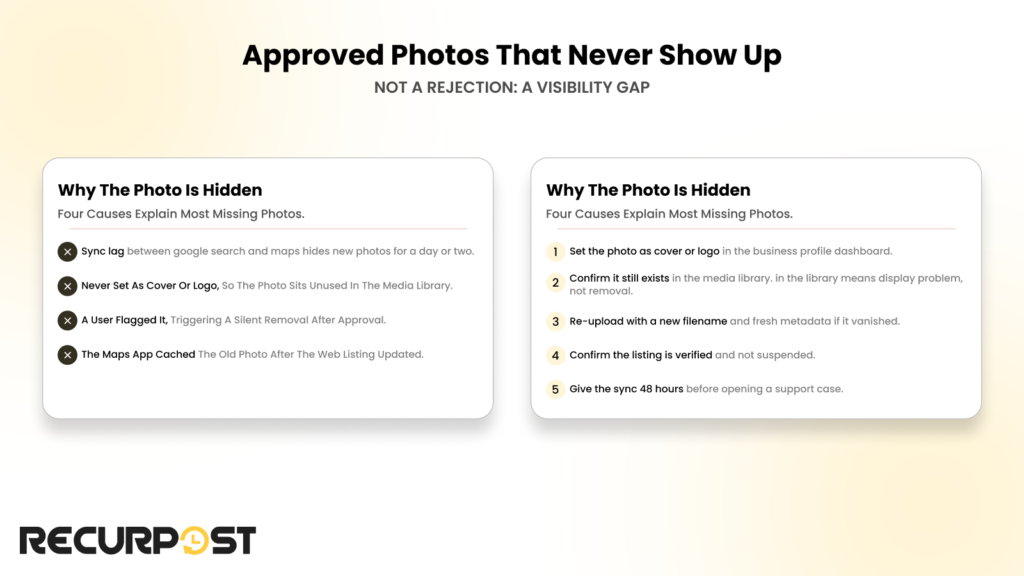
An approved photo that does not display is a visibility gap, not a rejection. The fix list is different, so diagnose it separately.
Four causes explain most missing photos. Sync lag across Google Search and Maps hides new photos for a day or two. A photo that was never set as the cover or logo sits unused in the media library. Users can flag a live photo and trigger a silent removal. The Maps app caches old photos after the web listing has already updated.
The fixes match the causes. Set the photo as the cover or logo in the dashboard. Confirm the image still exists in the media library. Re-upload with a new filename and fresh metadata if it vanished. Confirm the listing is still verified. Give the sync 48 hours before opening a support case.
An agency marked a client cover photo approved in its Monday report. The client called Wednesday because the Maps app on Android still showed the old image. The fix was setting the new photo as cover and waiting out the sync, not another upload.
When a scheduled Business Profile post gets rejected
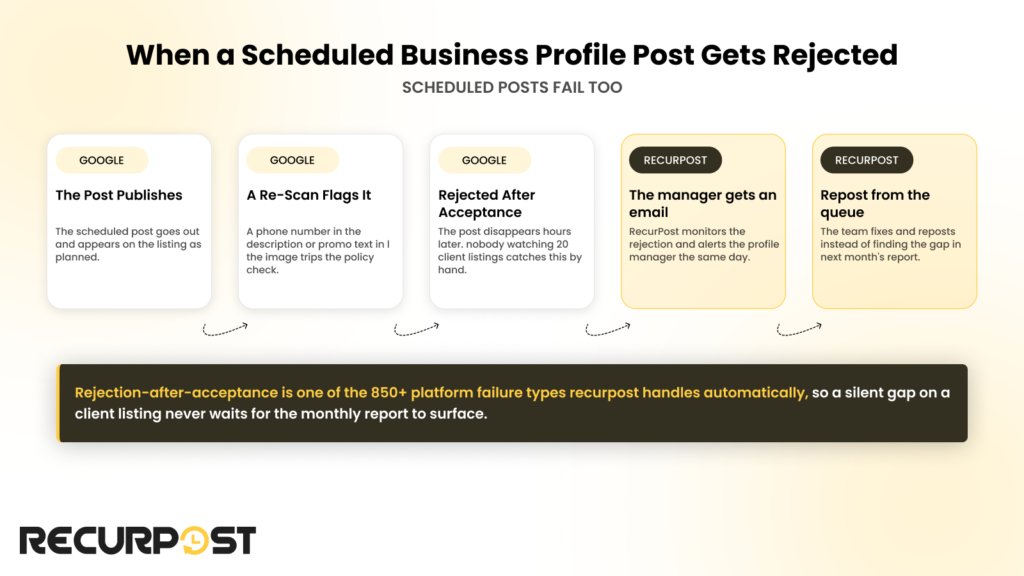
Google applies the same content policy to the photos inside Business Profile posts, plus text rules of its own. A phone number in the post description is a known rejection trigger. So is promotional text stuffed into the post image.
Google can also reject a post after accepting it. The post publishes, then disappears hours later on a re-scan. A team scheduling Business Profile content for 20 client listings has no realistic way to catch that by hand. RecurPost monitors this exact case: when Google rejects a scheduled post, including a rejection after initial acceptance, RecurPost emails the profile manager and the team reposts from the queue instead of finding the gap in next month’s report. Rejection-after-acceptance is one of the 850+ platform failure types RecurPost handles automatically.
You can schedule, preview, and monitor client Business Profile content with the RecurPost Google Business Profile scheduler.
FAQs on Google Business Profile photo rejections
1. How long does Google take to review a Business Profile photo?
Google reviews most Business Profile photos instantly or within 24 to 48 hours. Photos flagged by the automated scan wait longer because a human reviews them. A photo still pending after two days on a verified listing is worth a support case.
2. Why does Google reject photos that follow all the rules?
Google’s automated filters make mistakes. A compliant photo can trip a false flag on quality or content. The appeal path exists for exactly this case: a manual reviewer looks at the photo and overturns the wrong call.
3. Are AI-generated photos allowed on a Google Business Profile?
Google rejects AI-generated images on Business Profiles. The photo policy requires images that represent the real business, and the 2026 filters detect generated and heavily edited images. Use photos taken at the location instead.
4. Does deleting a rejected photo hurt the listing?
Deleting a rejected photo does not harm the listing. The rejection history stays on the account, though. A profile with repeated violations sits under closer review, which slows approval for future uploads.
5. Can Google reject photos that customers upload?
Google applies the same content policy to customer photos. Stock imagery, offensive content, and unrelated images get removed whether the owner or a customer uploaded them. Owners can also flag inappropriate customer photos for removal.
6. Does GPS data in a photo help it get approved?
Location metadata that matches the listing address supports Google’s authenticity checks. A photo taken at the business with location services on carries its own proof. Metadata alone does not force approval, but it helps borderline cases and appeals.
7. Why did an approved photo disappear from the listing?
Google removes approved photos when users flag them, when a policy re-scan catches something the first pass missed, or when a sync bug hides them. Check the media library first. A photo still in the library is a display problem, not a removal.
8. What is the fastest way to fix a rejected photo?
Check the file first: JPG or PNG, 10 KB to 5 MB, at least 250 by 250 pixels. Fix any content issues like overlays or watermarks and upload the corrected image once. Appeal through Google Business Profile support only when the photo already passes every requirement.