

What is the Quick Social Profile Link?
Quick Social Profile link takes you straight from RecurPost to your connected social profiles with a single click.
Where to find them?
You’ll see this as a small external link icon next to each supported social profile.
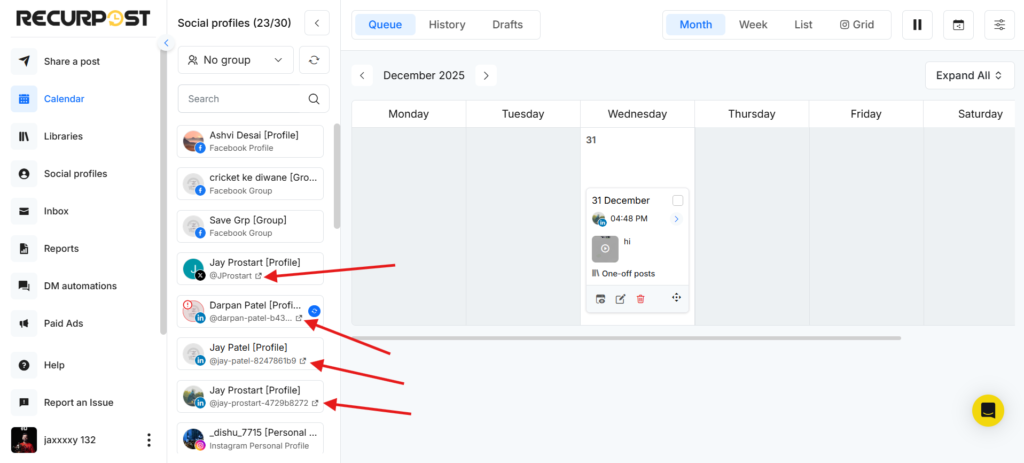
Supported examples include:
- Facebook Pages
- Instagram Business Profiles
- LinkedIn Profiles and Pages
- X (Twitter) accounts
- Pinterest Boards
- TikTok
- YouTube Channels
- Google Business Profiles
- Threads and Bluesky profiles
Where can you use Quick Social Profile Link?
Quick Social Profile Link is available only on the Calendar tab and on the Share a Post screen inside your RecurPost dashboard. Simply click the external link icon next to the profile name, and RecurPost will open that profile or page on the native platform in a new tab.
- Calendar tab on the Dashboard: Next to each connected social profile is shown.
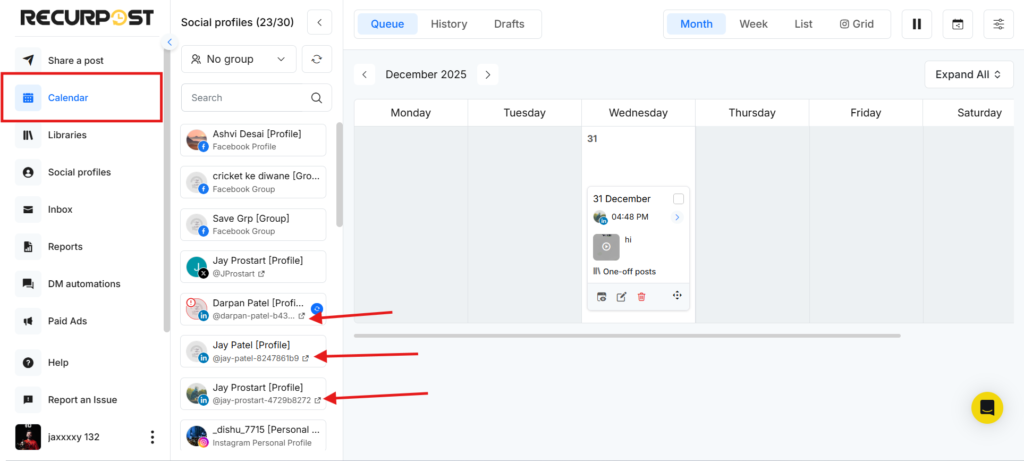
- Share a Post / One-off Post screen – in the social profile selection area.
How to use Quick Social Profile Link
- Go to the Calendar tab on your Dashboard, or open Share a Post → Create a Post Manually.
- Look for the external link icon next to a social profile.
- Click the icon.
- The social profile will open on the native platform in a new browser tab.
This is handy for quickly checking how your posts look live or reviewing recent activity.
Accounts where the Quick Social Profile Link is not available
Quick Social Profile Link is not supported for profiles that work via push notifications:
- Facebook Profile
- Facebook Group
- Instagram Personal Profile
These platforms are managed via push notifications, so direct linking is not supported.
Not seeing the link icon?
If you don’t see the quick link icon for a supported social profile:
- Go to Social Profiles in RecurPost.
- Reconnect the social profile.
- Return to the Dashboard or One-off Post screen.
The external link icon should now appear next to that profile.
Frequently Asked Questions
1. Does using the Quick Social Profile Link affect scheduling or posting?
No. It only opens the native social platform in a new tab. Your schedules, queues, and posts inside RecurPost stay exactly the same.
2. Will RecurPost stay open after clicking the link?
Yes. RecurPost remains open in your current tab, and the social platform opens in a separate tab.
3. Do I need to be logged in to the social platform?
Yes. If you are not logged in on that browser, the platform may ask you to log in before showing the profile.