
What is the Quick Social Account Link?
Quick Social Account Link takes you straight from RecurPost to your connected social profiles with a single click.
No manual searching or jumping between the platforms. No extra steps. Just click and go.
Where to find them?
You’ll see this as a small external link icon next to each supported social account.
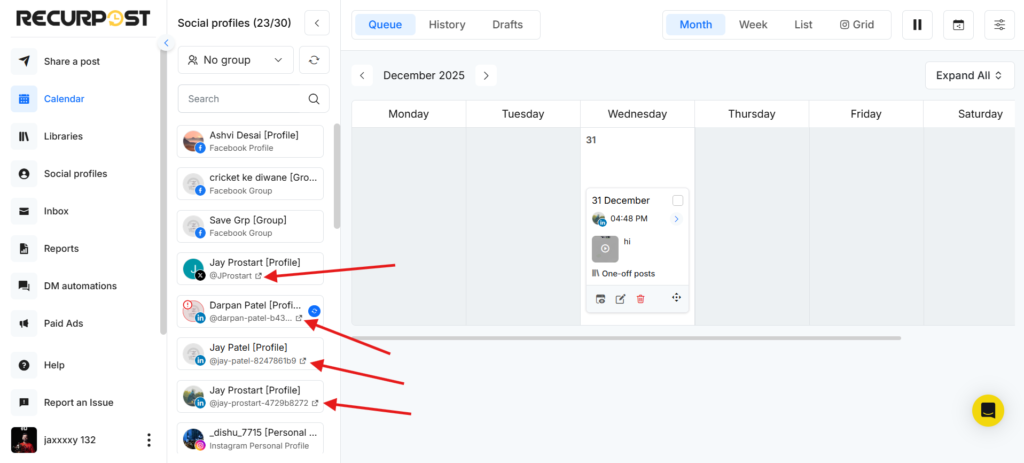
Supported examples include:
- Facebook Pages
- Instagram Business Profiles
- LinkedIn Profiles and Pages
- X (Twitter) accounts
- Pinterest Boards
- TikTok
- YouTube Channels
- Google Business Profiles
- Threads and Bluesky profiles
Where can you use Quick Social Account Link?
Quick Social Account Link is available only on the Calendar tab and on the Share a Post screen inside your RecurPost dashboard. Simply click the external link icon next to the account name, and RecurPost will open that profile or page on the native platform in a new tab.
- Calendar tab on the Dashboard: Next to each connected social account is shown.
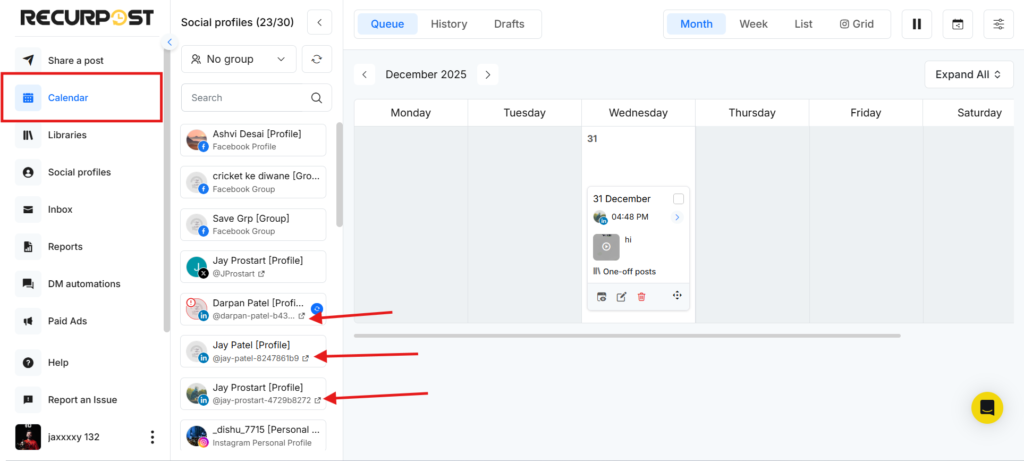
- Share a Post / One-off Post screen – in the social account selection area.
How to use Quick Social Account Link
- Go to the Calendar tab on your Dashboard, or open Share a Post → Create a Post Manually.
- Look for the external link icon next to a social account.
- Click the icon.
- The social account will open on the native platform in a new browser tab.
This is handy for quickly checking how your posts look live or reviewing recent activity.
Accounts where the Quick Social Account Link is not available
Quick Social Account Link is not supported for accounts that work via push notifications:
- Facebook Profile
- Facebook Group
- Instagram Personal Profile
These platforms are managed via push notifications, so direct linking is not supported.
Not seeing the link icon?
If you don’t see the quick link icon for a supported social account:
- Go to Social Profiles in RecurPost.
- Reconnect the social account.
- Return to the Dashboard or One-off Post screen.
The external link icon should now appear next to that profile.
Frequently Asked Questions
1. Does using the Quick Social Account Link affect scheduling or posting?
No. It only opens the native social platform in a new tab. Your schedules, queues, and posts inside RecurPost stay exactly the same.
2. Will RecurPost stay open after clicking the link?
Yes. RecurPost remains open in your current tab, and the social platform opens in a separate tab.
3. Do I need to be logged in to the social platform?
Yes. If you are not logged in on that browser, the platform may ask you to log in before showing the account.